• 如何用google analyits,分析自己的網站來源流量
  • 推文至Facebook  
  • 先到google analyits官網註冊並登入
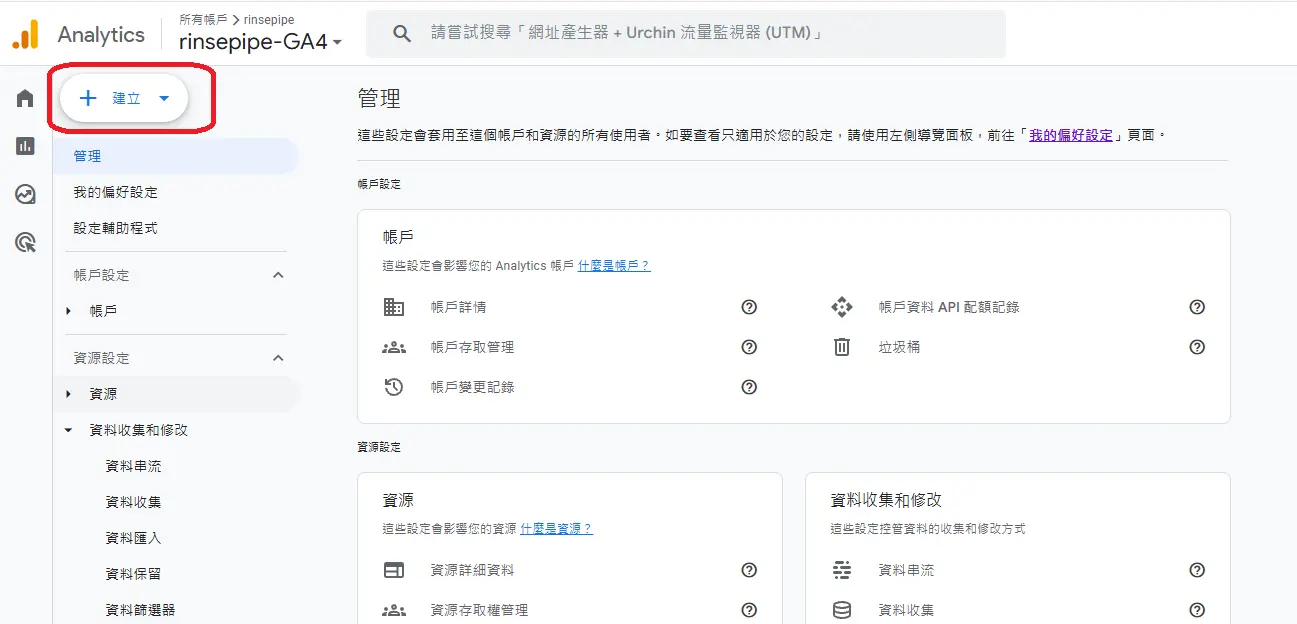
    建立一個帳戶及資源
    google, analyits, 分析流量, 網站流量

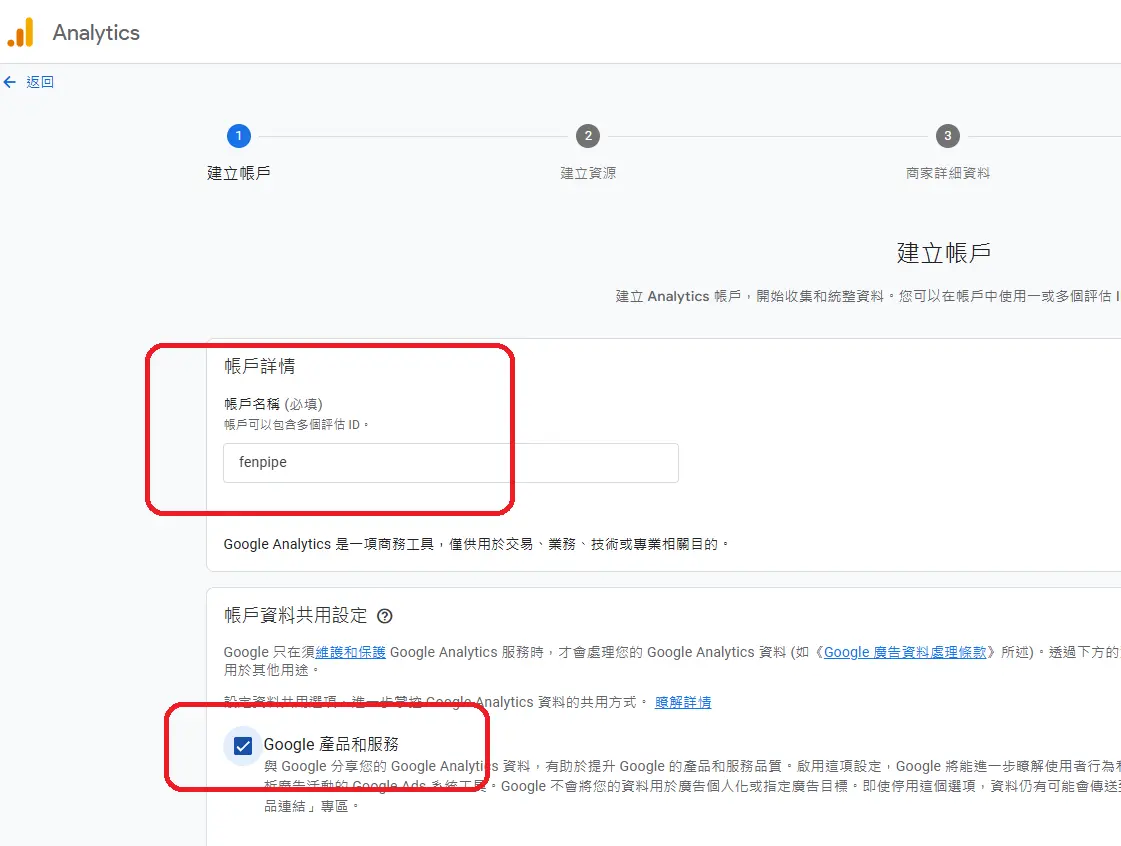
    建立帳戶名稱,如: fenpipe

    google, analyits, 分析流量, 網站流量


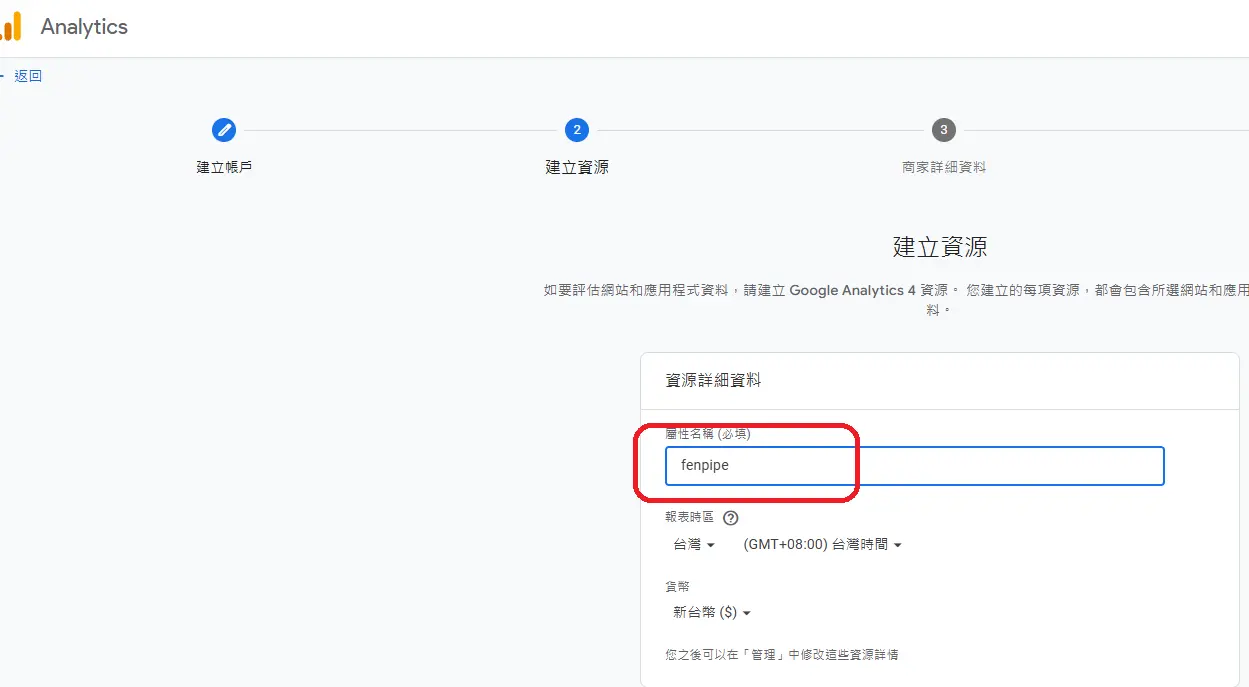
    資源詳細名稱,如: fenpipe
    google, analyits, 分析流量, 網站流量


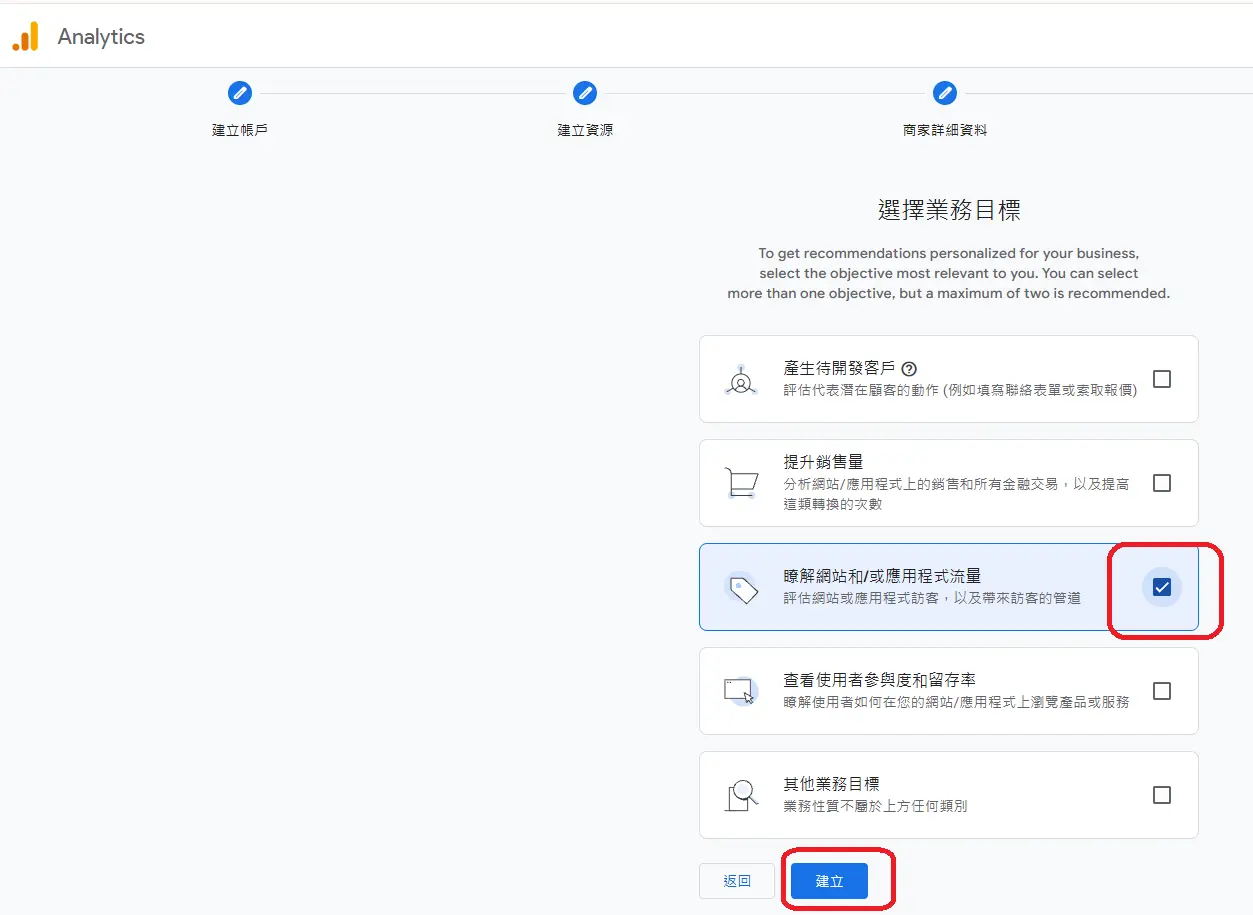
    瞭解網站或應用程式流量->勾選
    google, analyits, 分析流量, 網站流量


    勾選及點選"我接受"
    google, analyits, 分析流量, 網站流量


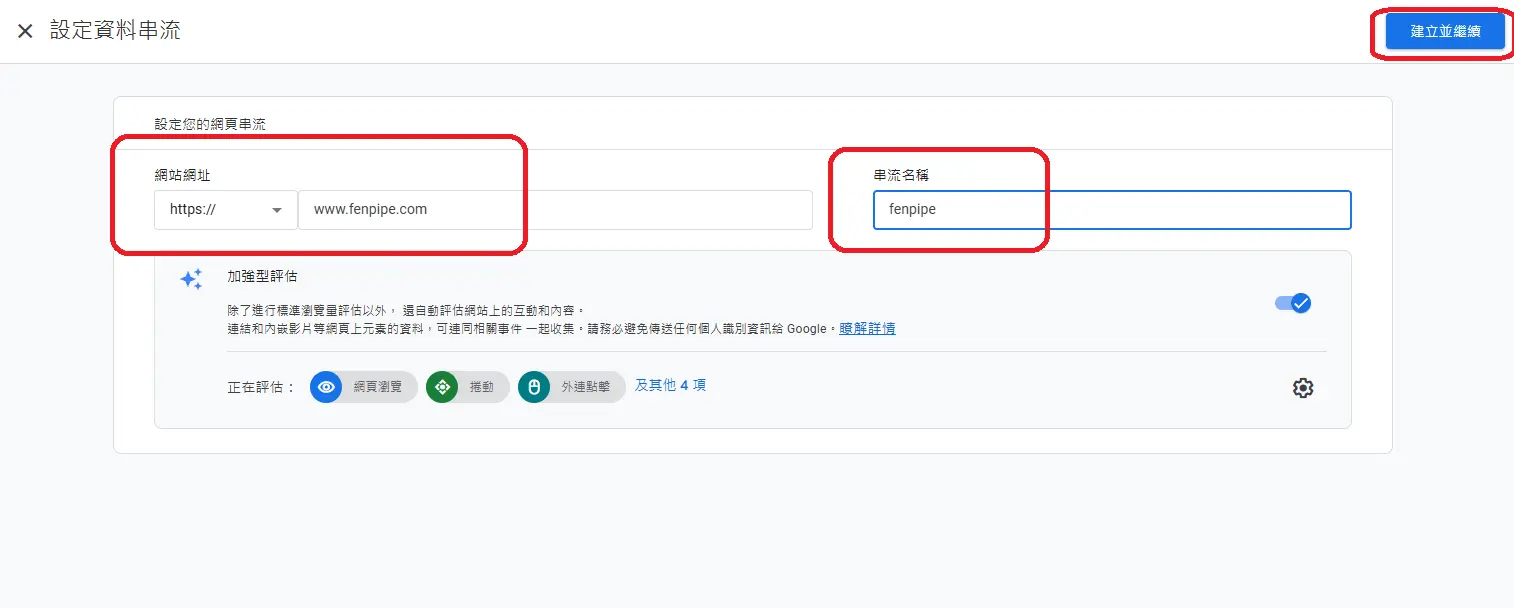
    設定資料串流-> 輸入網址 -> 串流名稱

    google, analyits, 分析流量, 網站流量

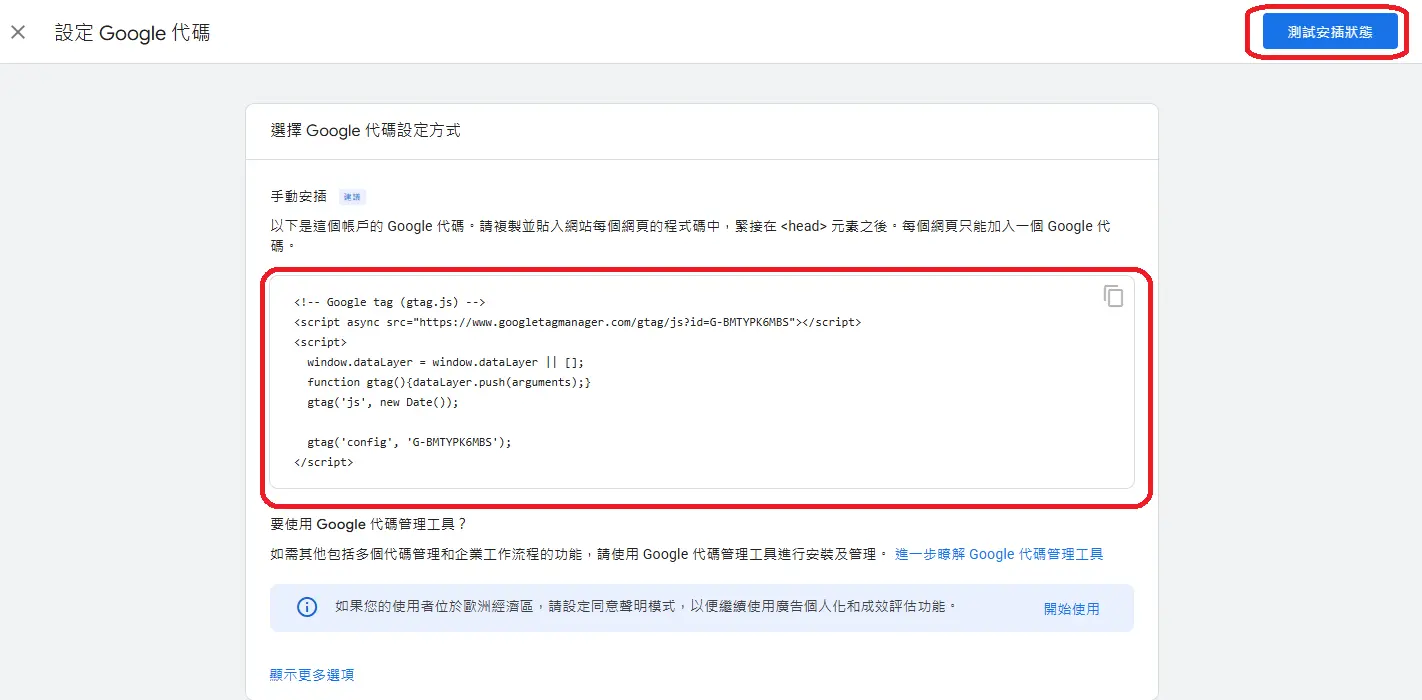
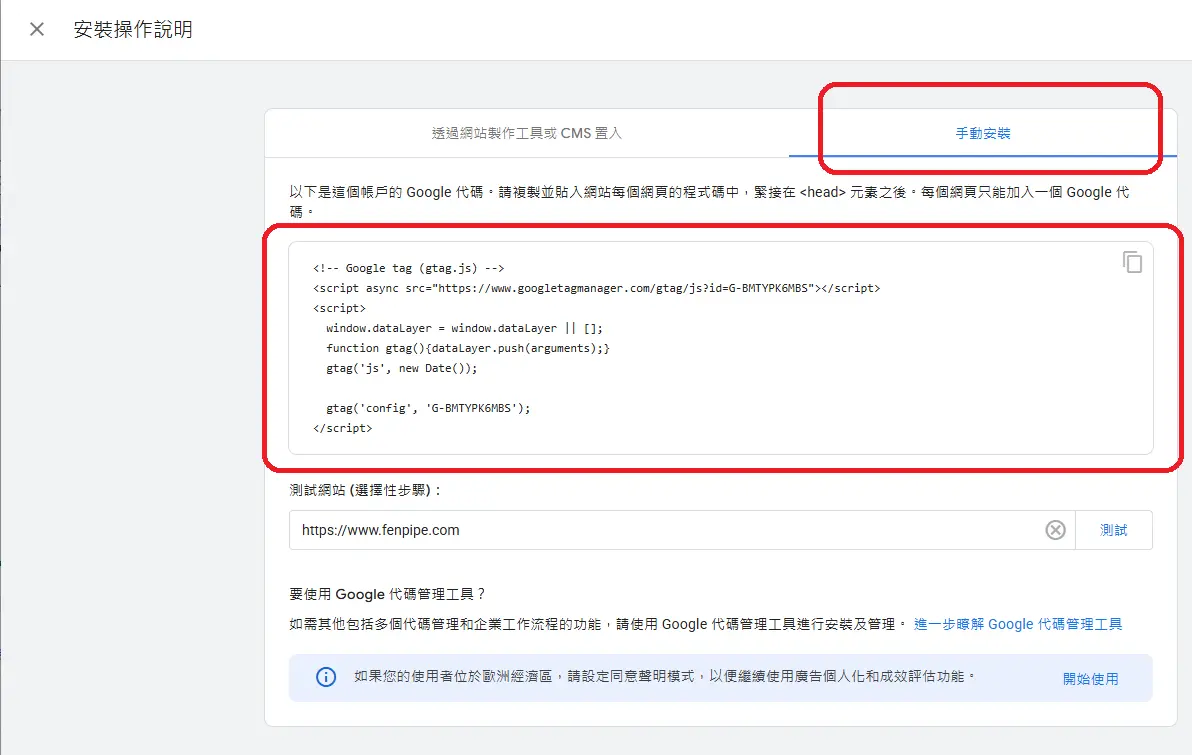
    得到Google代碼 複製並貼上 到你的網站
    測試安插狀態
    google, analyits, 分析流量, 網站流量


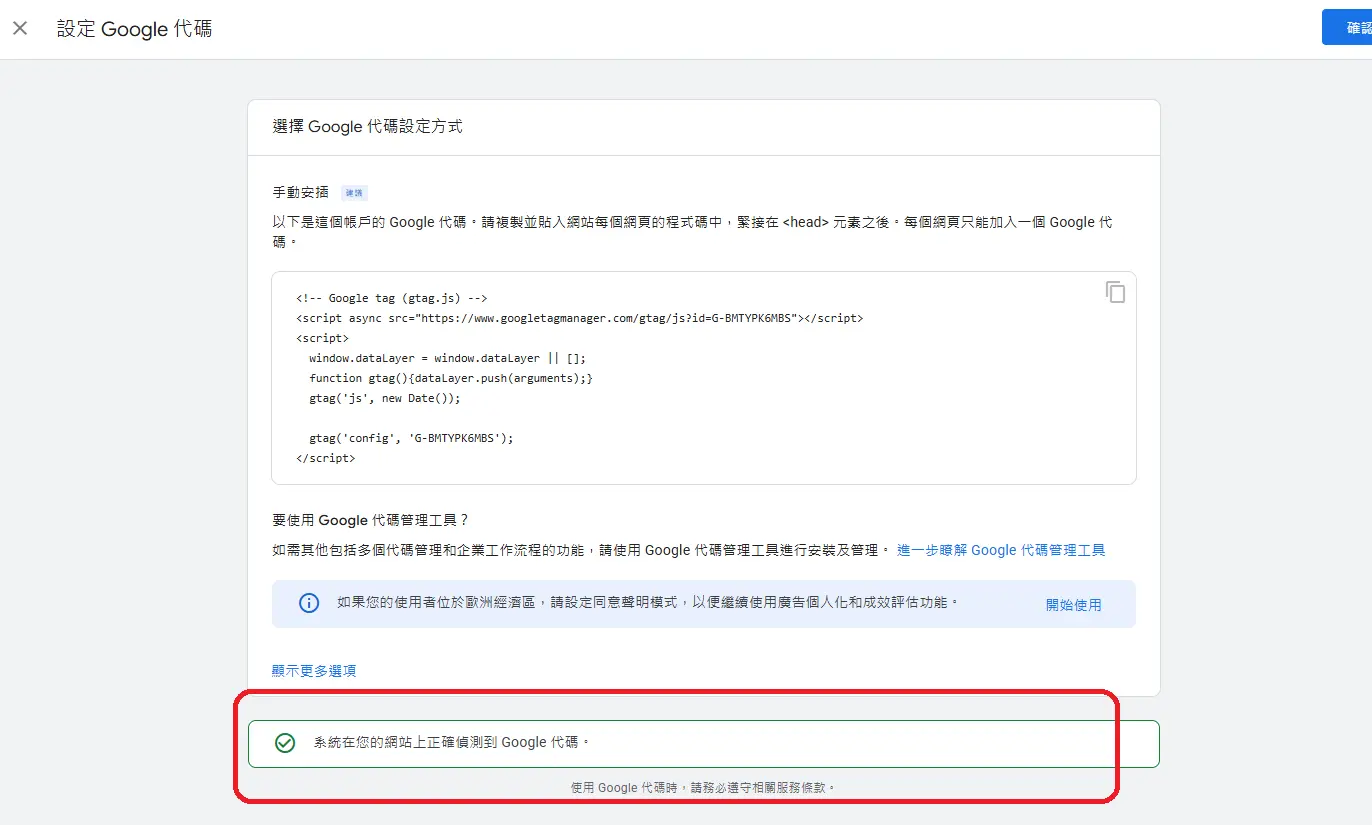
    得到安裝完成的訊息
    google, analyits, 分析流量, 網站流量


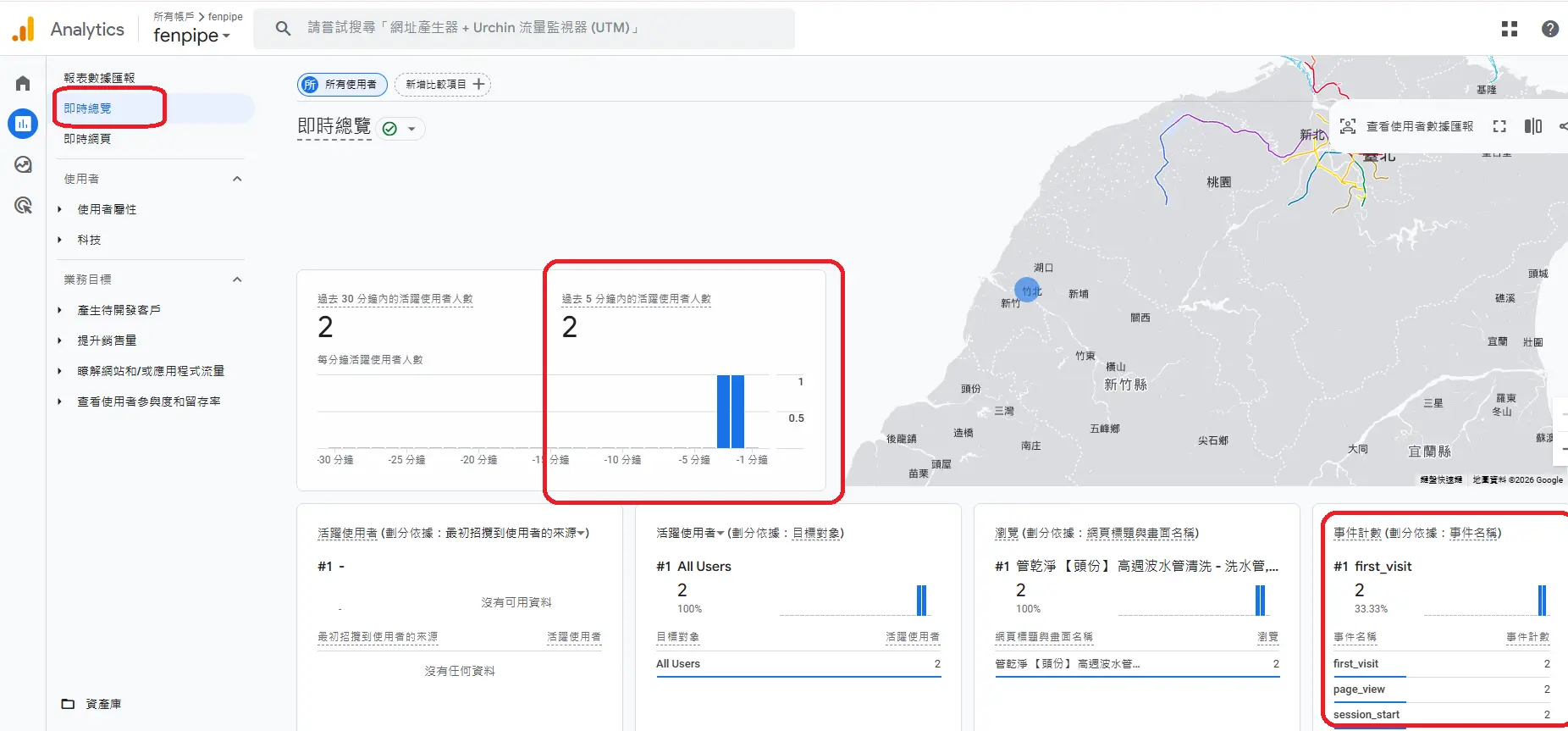
    到報表就可以看到流量來源了
    google, analyits, 分析流量, 網站流量


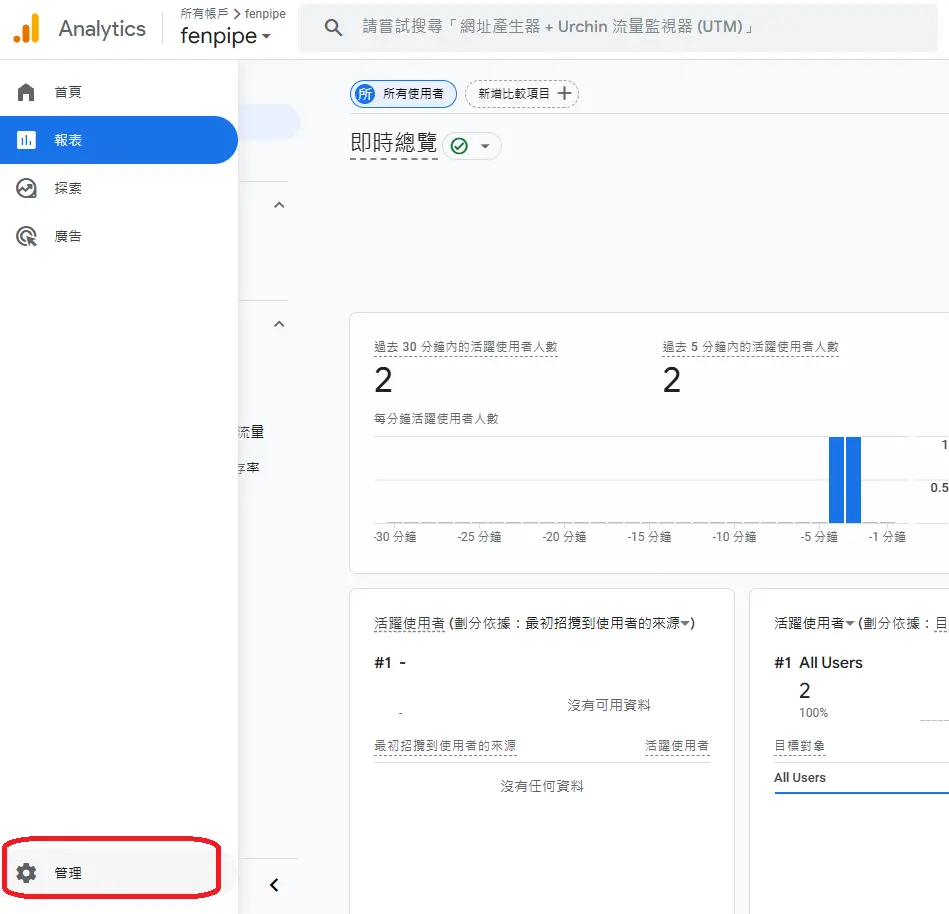
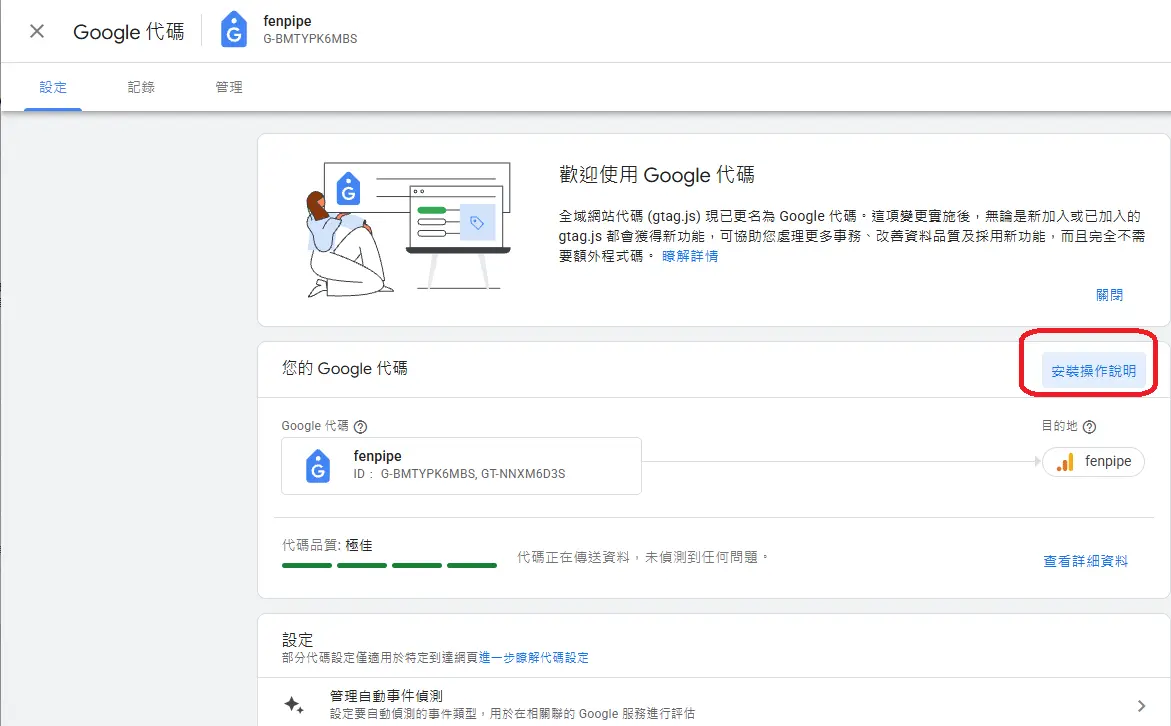
    如果忘記如何取回Google代碼
    左下角齒輪 -> 設定
    google, analyits, 分析流量, 網站流量


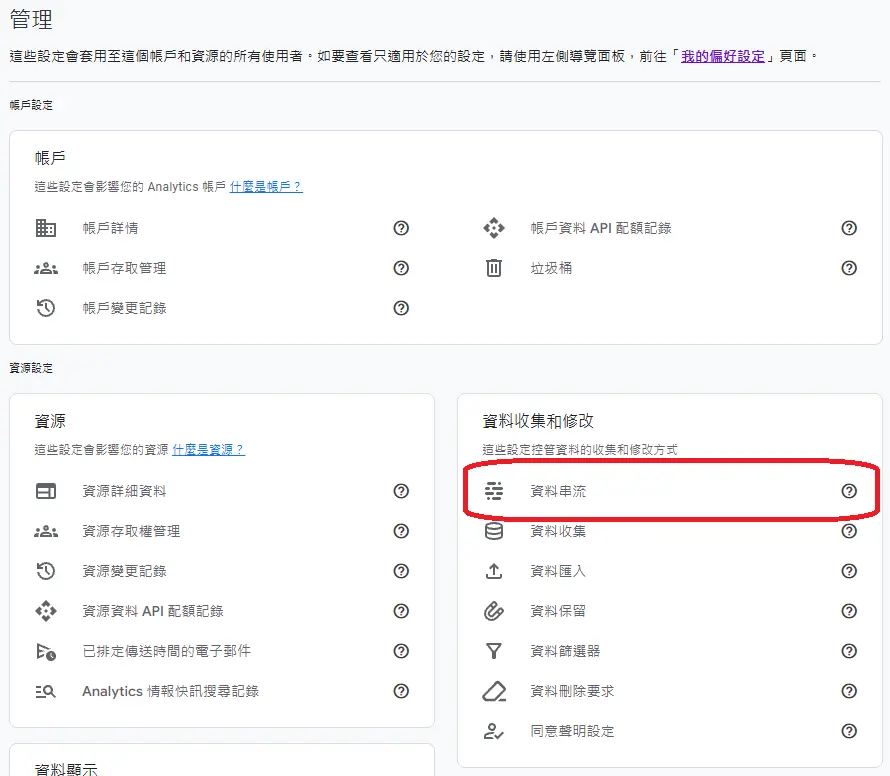
    資料串流
    google, analyits, 分析流量, 網站流量


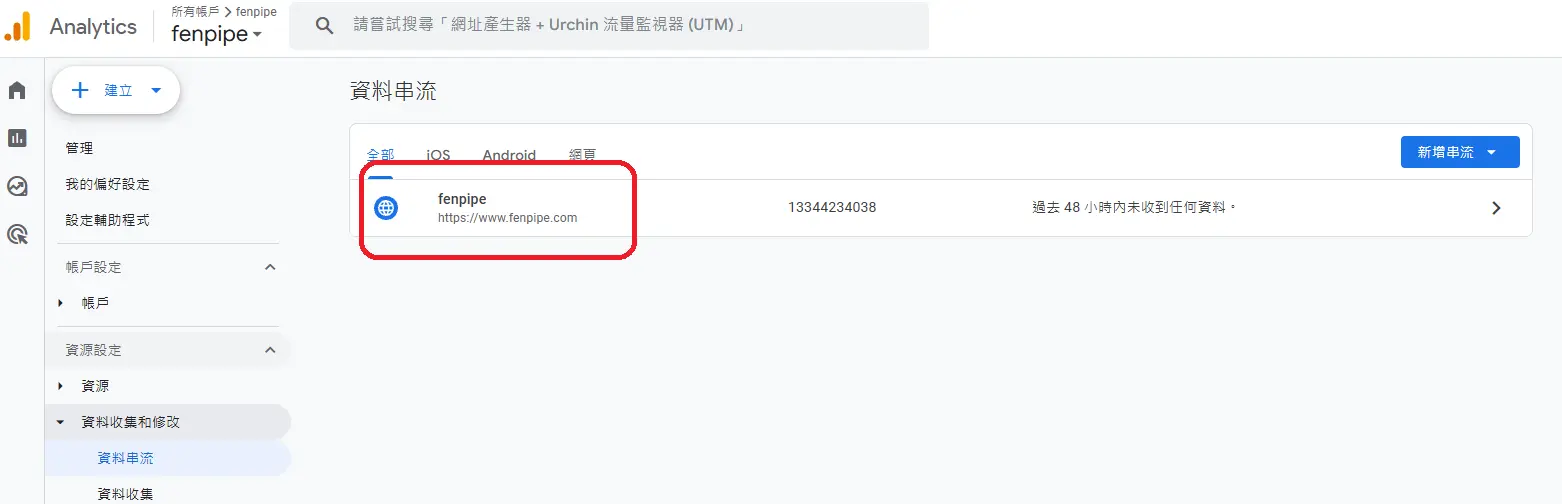
    點選如: fenpipe
    google, analyits, 分析流量, 網站流量


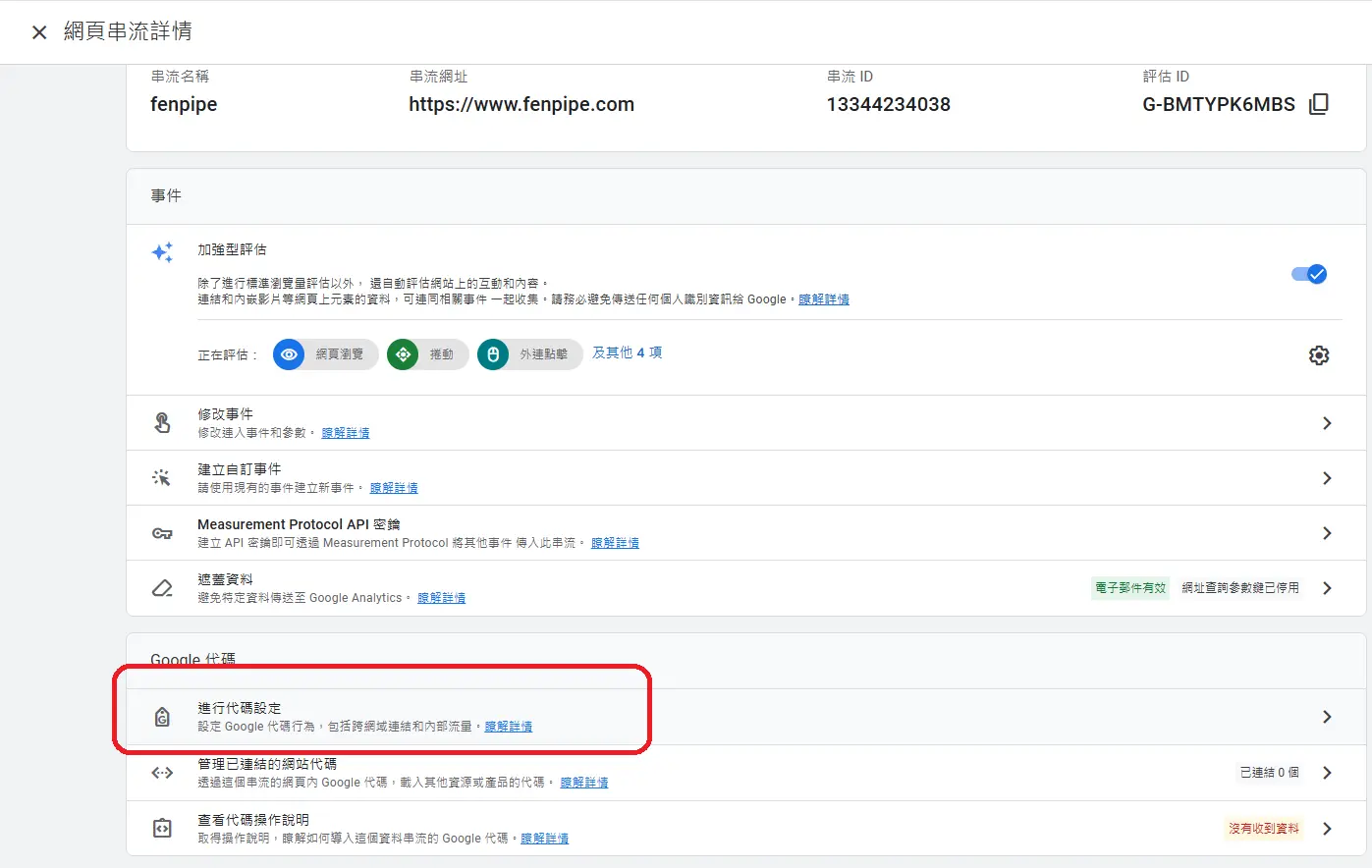
    進行代碼設定
    google, analyits, 分析流量, 網站流量


    安裝操作說明
    google, analyits, 分析流量, 網站流量

    手動安裝
    就可以得到google代碼了
    google, analyits, 分析流量, 網站流量

  • google, analyits, 分析流量, 網站流量
  • 相關文章:
線上客服 線上客服
線上客服

如何用google analyits,分析自己的網站來源流量 -